
Grimmmz is one of the best streamers out there playing PUBG. He has racked up an insane amount of chicken dinners, and it’s always a pleasure to watch him destroy the other players.
Let’s take a look at his settings:
Grimmmz PUBG Settings
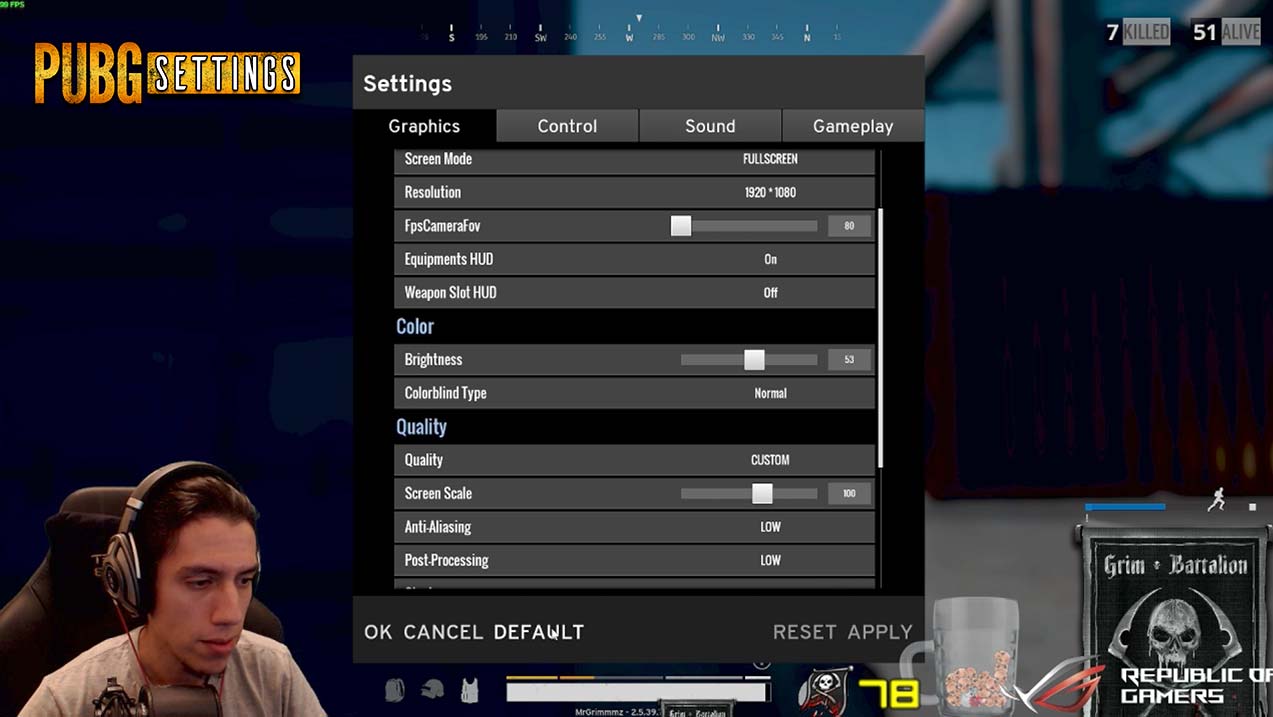
Grimmmz Graphics Settings
Resolution: 1920 X 1080FpsCameraFov: 80Brightness: 53Anti-Aliasing: LOWPost-Processing: LOWShadows: VERY LOWTexture: LOWEffects: VERY LOWFoliage: VERY LOWView Distance: LOW
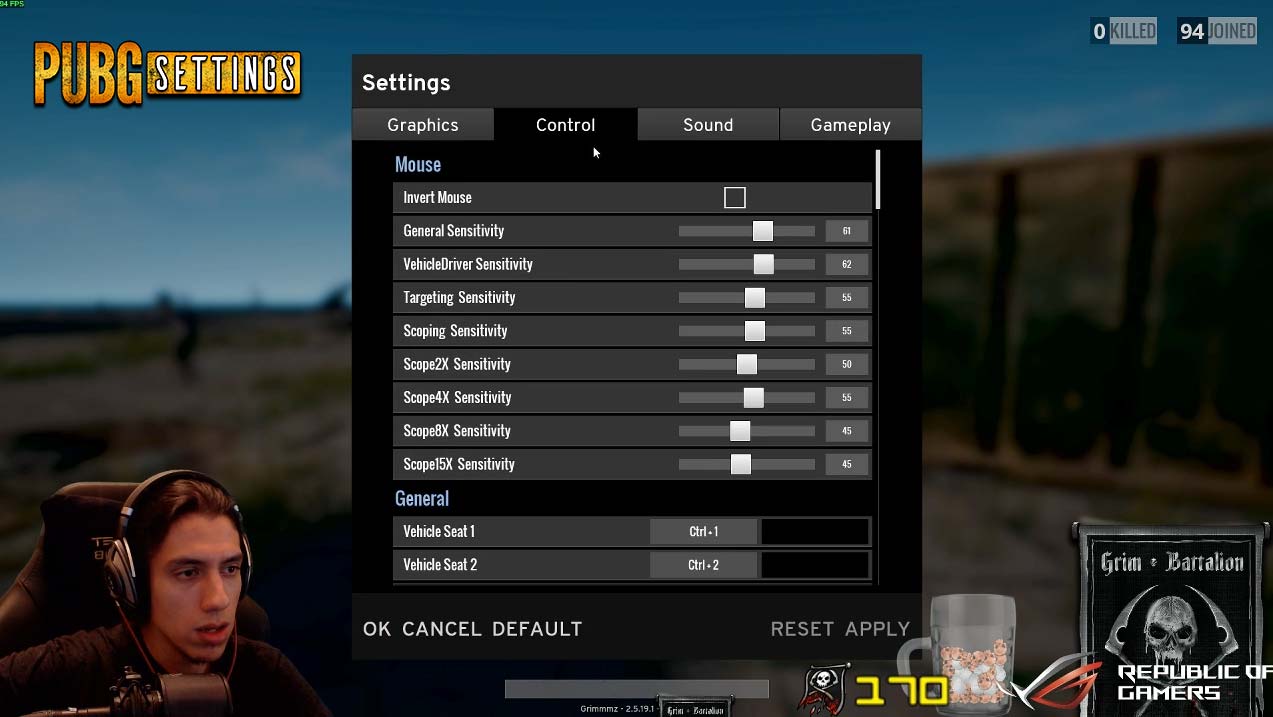
Grimmmz Mouse Sensitivity Settings
Invert Mouse: NOGeneral Sensitivity: 61VehicleDriver Sensitivity: 62Targeting Sensitivity: 55Scoping Sensitivity: 55Scope2X Sensitivity: 50Scope4X Sensitivity: 55Scope8X Sensitivity: 45Scope15X Sensitivity: 45
Grimmmz uses a mouse DPI setting of 650 and a Polling Rate of 500.
Does Grimmmz Use ReShade?
No, Grimmmz doesn’t use ReShade. He runs the game vanilla.
Grimmmz’ Setup and Gear
Headphones: Sennheiser HD 700 (with these Red Replacement Cables)
Mouse: Logitech G502 Proteus Spectrum
Keyboard: Razer Black Widow Ultimate
Monitor: Asus PG258Q
Grimmmz PC Specs
CPU: Intel Core i7-7700 3.6GHz
GPU: GeForce GTX 1080 8GB
Hard Drive: OCZ Vector 180 Series 480GB
Case: Asus Strix GD30CI


Thanks for the great post. Grimmmz rocks in this game and I will definitely try those settings.
Hi,
What’s the monitor settings he use?
Hi Saxpayne,
I’m not sure, but I’ll investigate and update the page when I find out.
Thanks for commenting!
Thank you! 🙂
Does he use any amplifiers? Or does he just plug the hd700 straight to his computer.
He definitely uses a DAC / AMP for the headset, but I’m not exactly sure which one. I’m going to do some research and update this once I find out! Thanks for the comment Peng!